Hi there! This is the Riamo team.
Thank you as always for using Riamo.
We’ve heard from many of you: “I wish I could save my progress…” and “I want to fix my answer after submitting!” Good news: you can already do both 🙌
These features might have slipped under the radar, so here’s a quick guide ✨
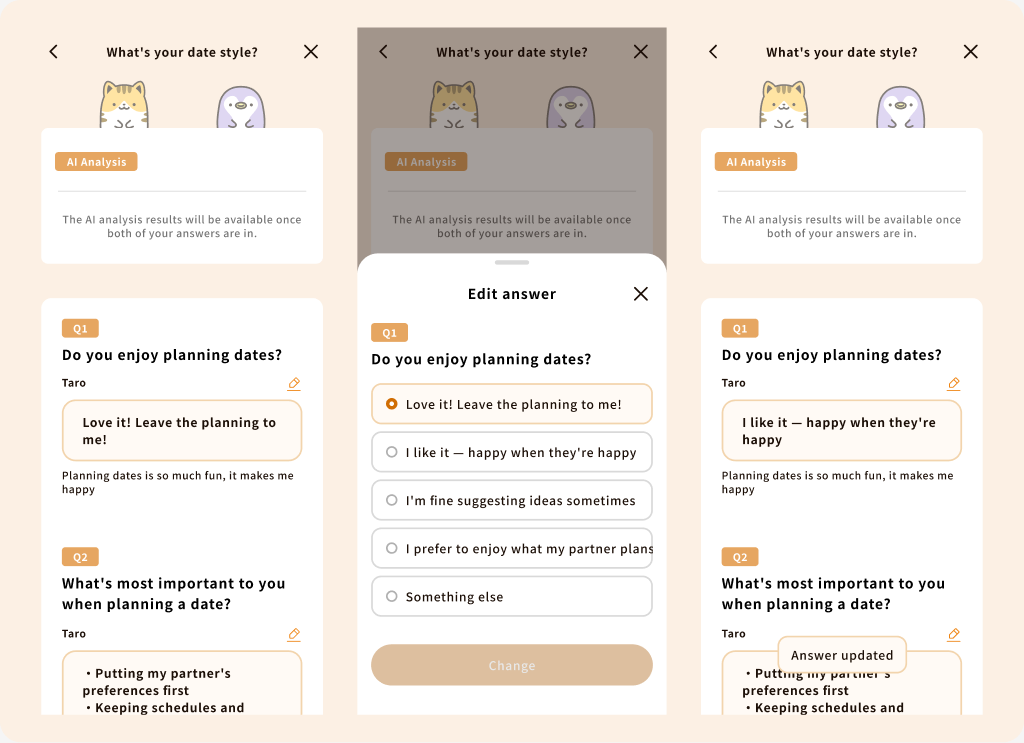
✏️ Edit your answer until your partner answers
Changed your mind, or made a typo? No problem!
As long as your partner hasn’t answered yet, you can change your answer.
- On the waiting screen, tap the ✏️ (pencil) icon next to your answer
- Tap the answer you want and select “Change”
- When you see “Answer updated,” you’re all set 🎉
Once your partner has answered, editing is no longer available so that you can both see the results fairly.
💾 Answer part of a quiz and pick up where you left off
No need to answer every question in one go!
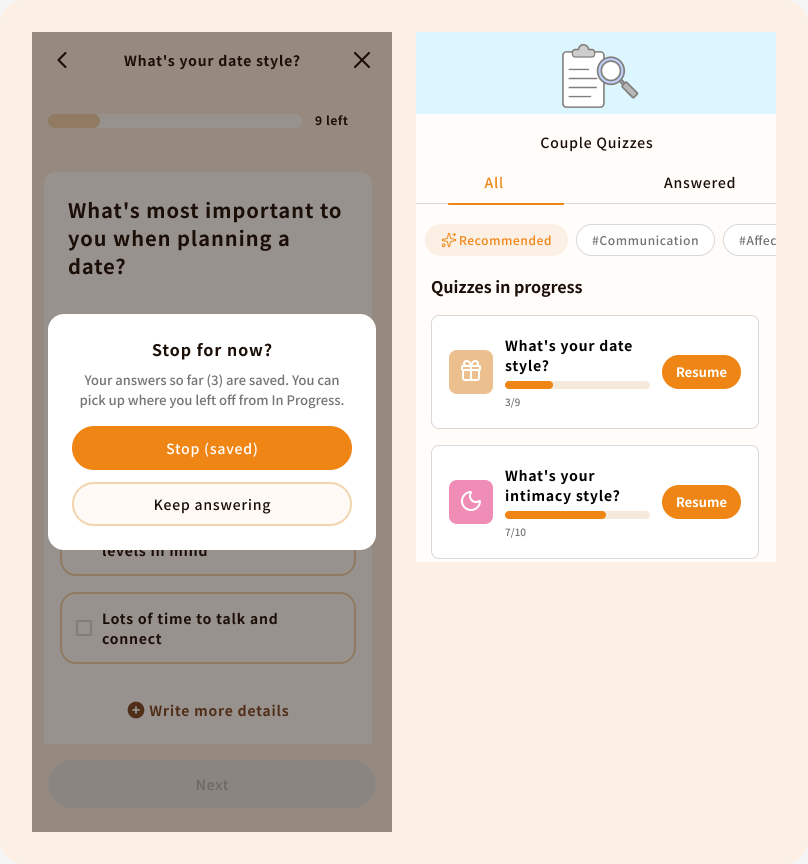
If you close the screen partway through, your answers so far are saved automatically.
- Tap ✕ while answering and you’ll see “Stop for now?” Choose “Stop (saved)” to keep your answers
- To continue, go to “Quizzes in progress” in the Couple Quizzes list and tap “Resume”
- You can see at a glance how many questions you’ve answered 👀
Your in-progress answers are saved on your device, so you can’t continue on a different device.
Answer a little at a time in your spare moments, or take a moment to rethink and update your answer.
Enjoy Couple Quizzes at your own pace 💗
If you have any thoughts or requests, please let us know through the Feedback Box in the app.
Note
If these features aren’t showing up, your app may need to be updated. Please update Riamo to the latest version.
Android Update on Google Play